Create a centralized, category-based marketplace
Implement ratings, reviews, and portfolios
Include local discovery feeds with fresh items
Users struggle to discover services
Buyers lack trust in sellers
Difficulty finding services
Project Overview
UniMade is a centralized platform where students can discover, promote, and book peer-to-peer services.
The Problem
Student entrepreneurs struggle to find consistent work and build portfolios, while student buyers lack an easy way to discover affordable, reliable peer services.
The Solution
UniMade connects student entrepreneurs and buyers in one platform, making it easy to showcase work, find services, and book directly.
Role
UX Researcher
UX Designer
Time
12 weeks
Tools
Figma
Procreate
Adobe Lightroom
Team
Zahnette R.
Kelly Y.
Christopher G.

Who are our users?
Designing with the user in mind
Through an observational study and user interviews with student entrepreneurs and buyers, my team and I identified key insights, user needs, behaviors, and pain points.
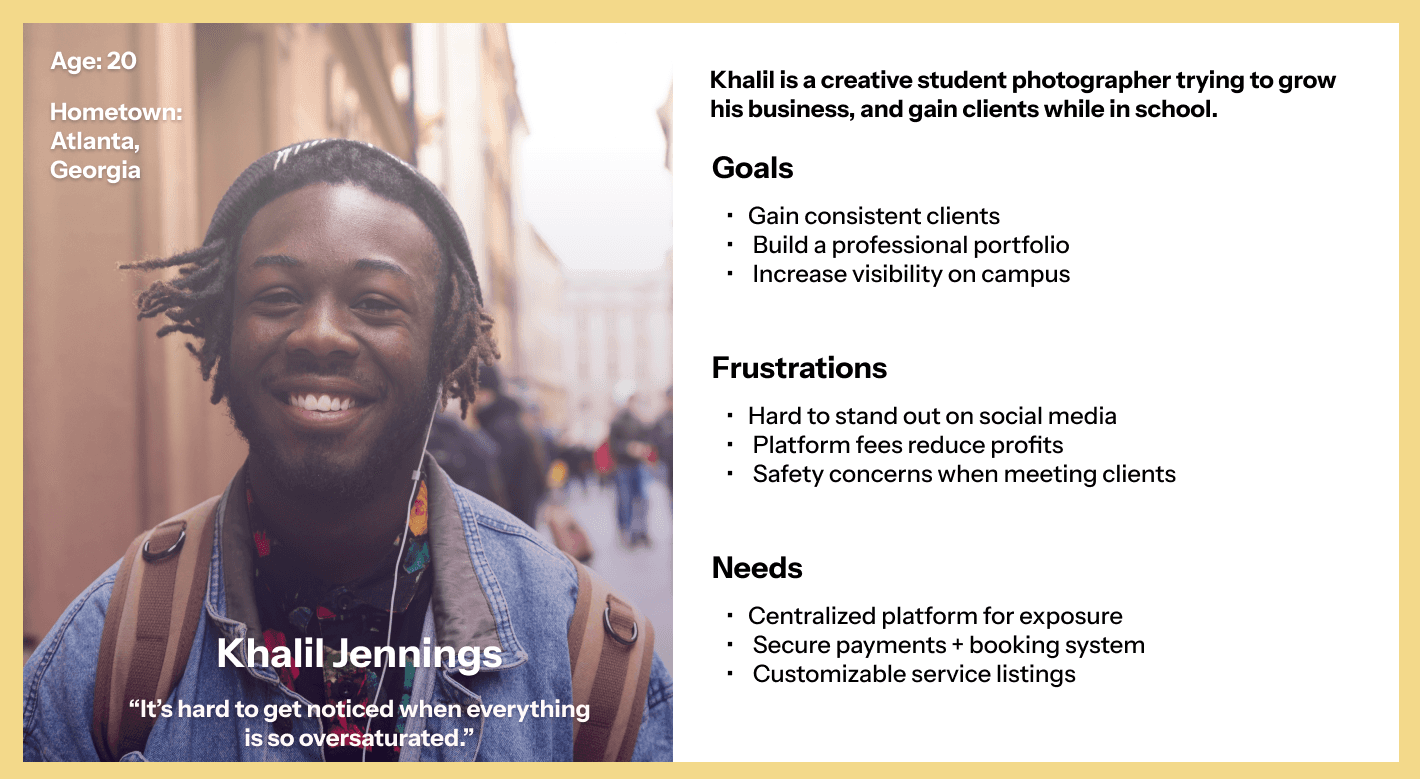
For student entrepreneurs:
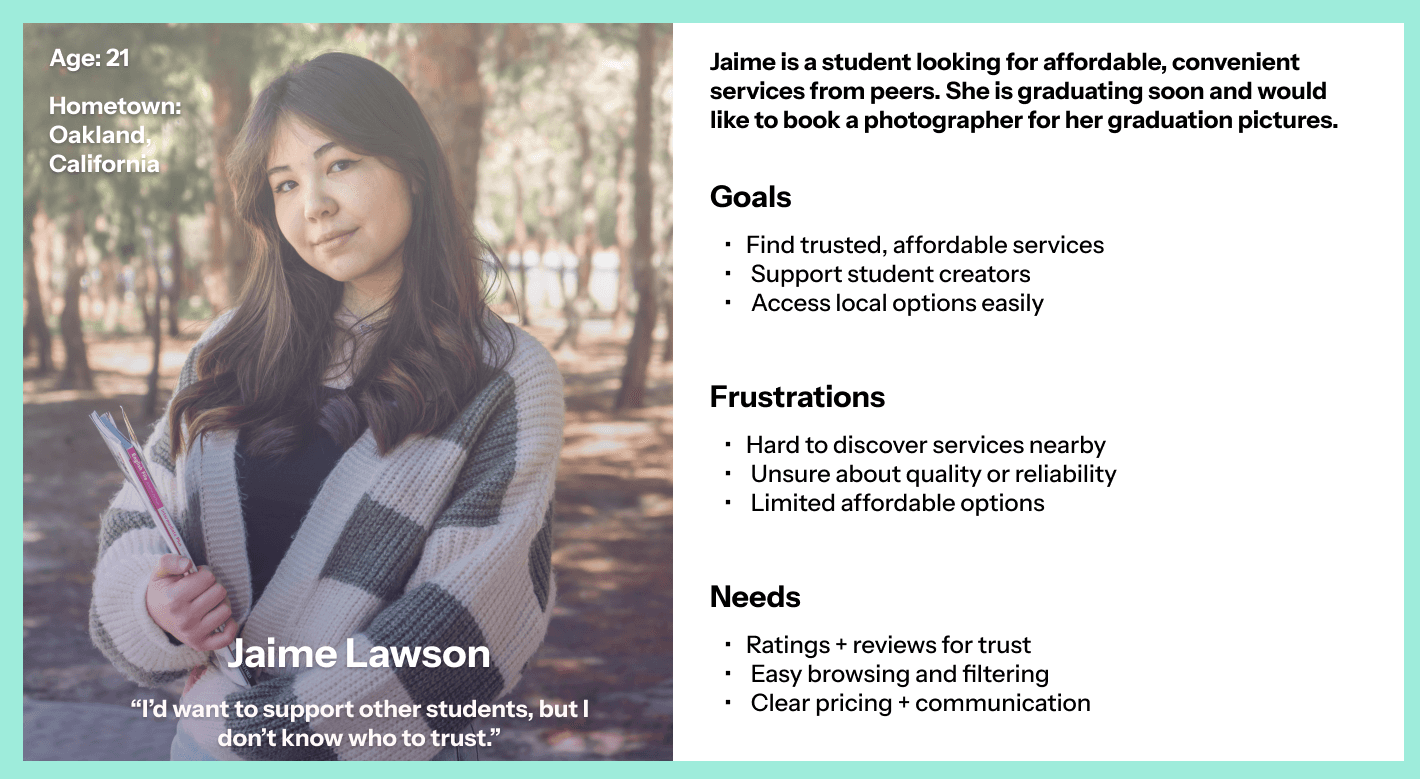
For student buyers:
Affordability concerns
Lack of trust in quality
Difficult to discover local services
Low visibility on saturated platforms
Safety concerns (address sharing)
Lack of marketing skills/tools
User Personas
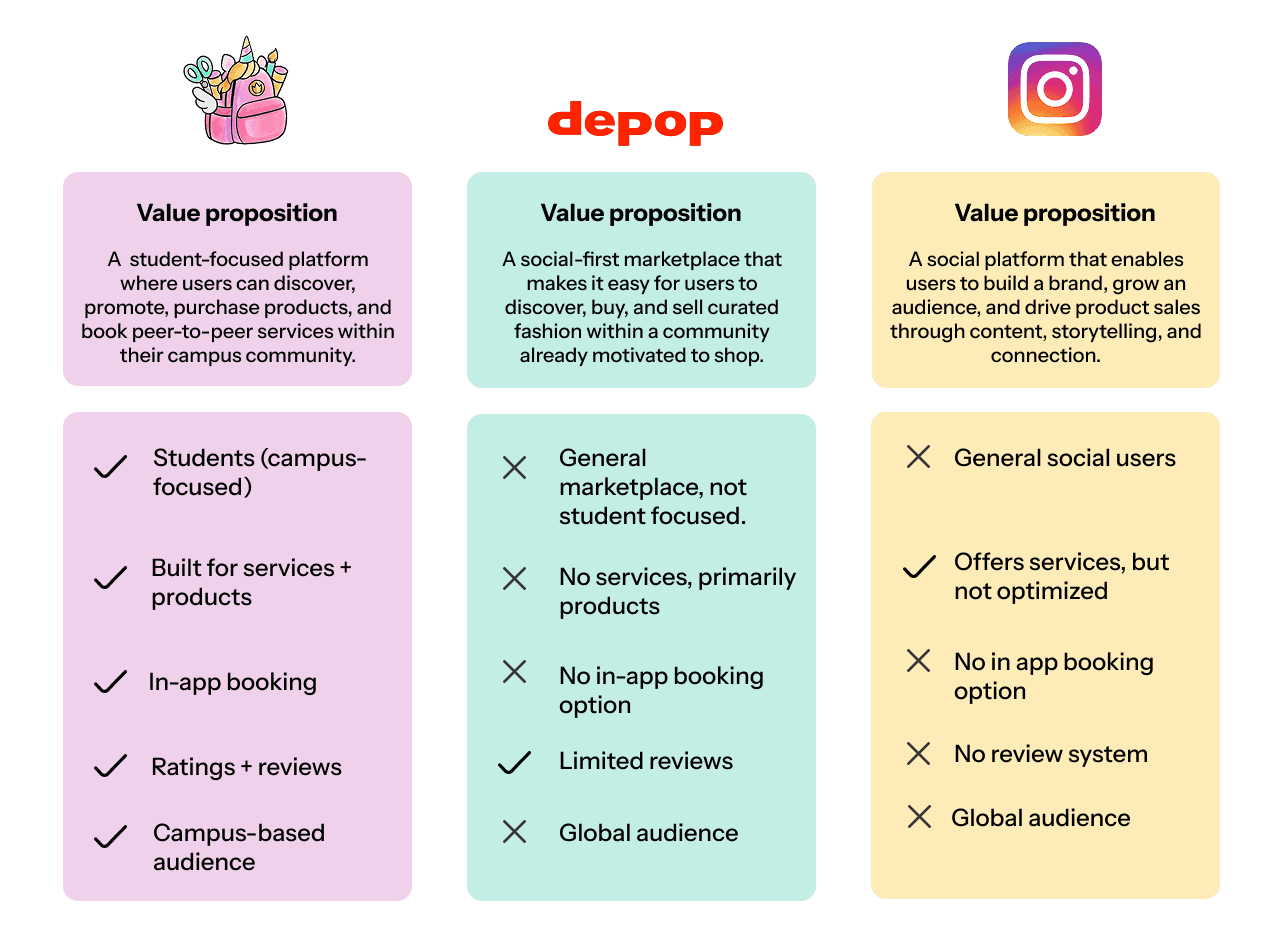
Competitive Advantage
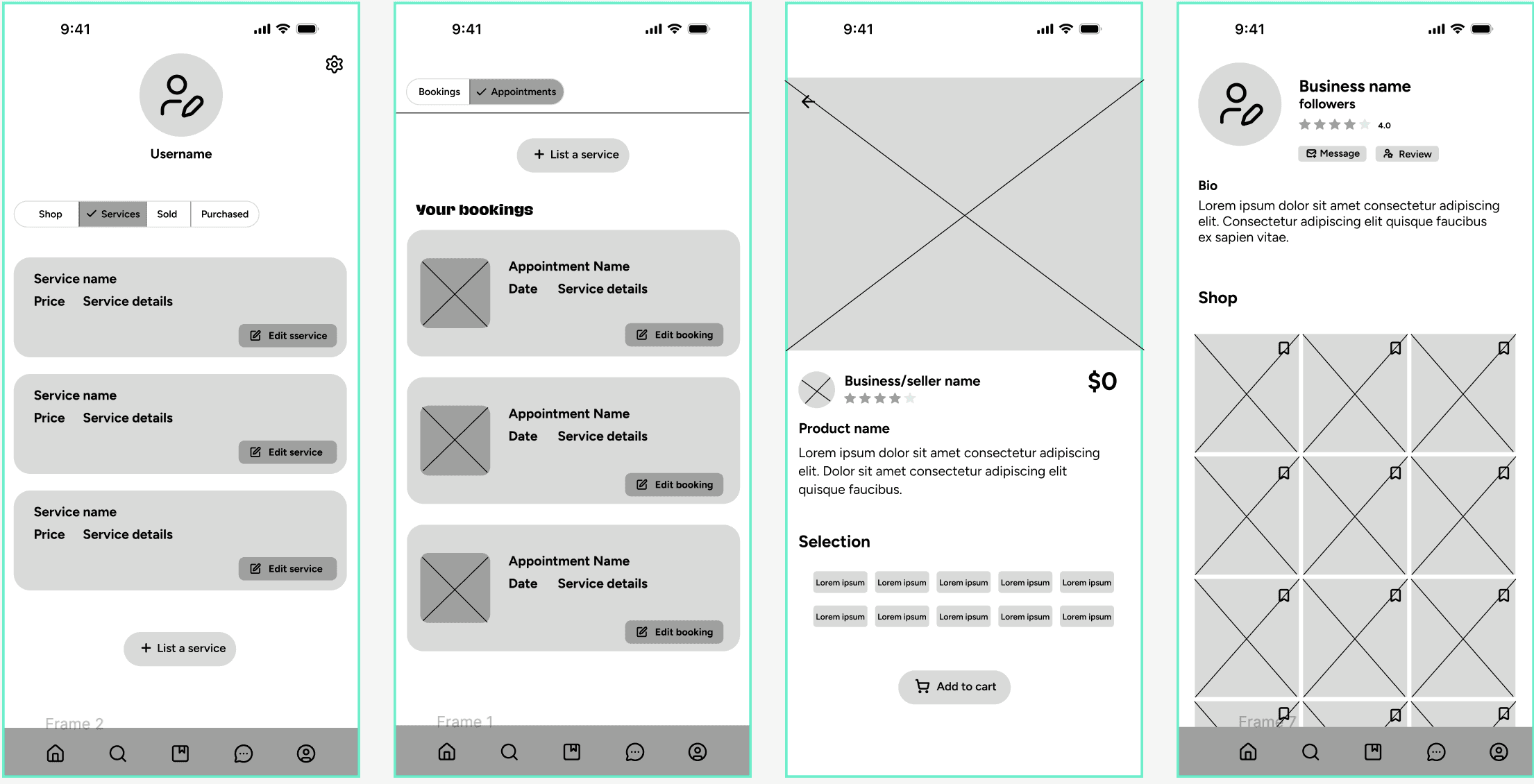
Design Opportunities
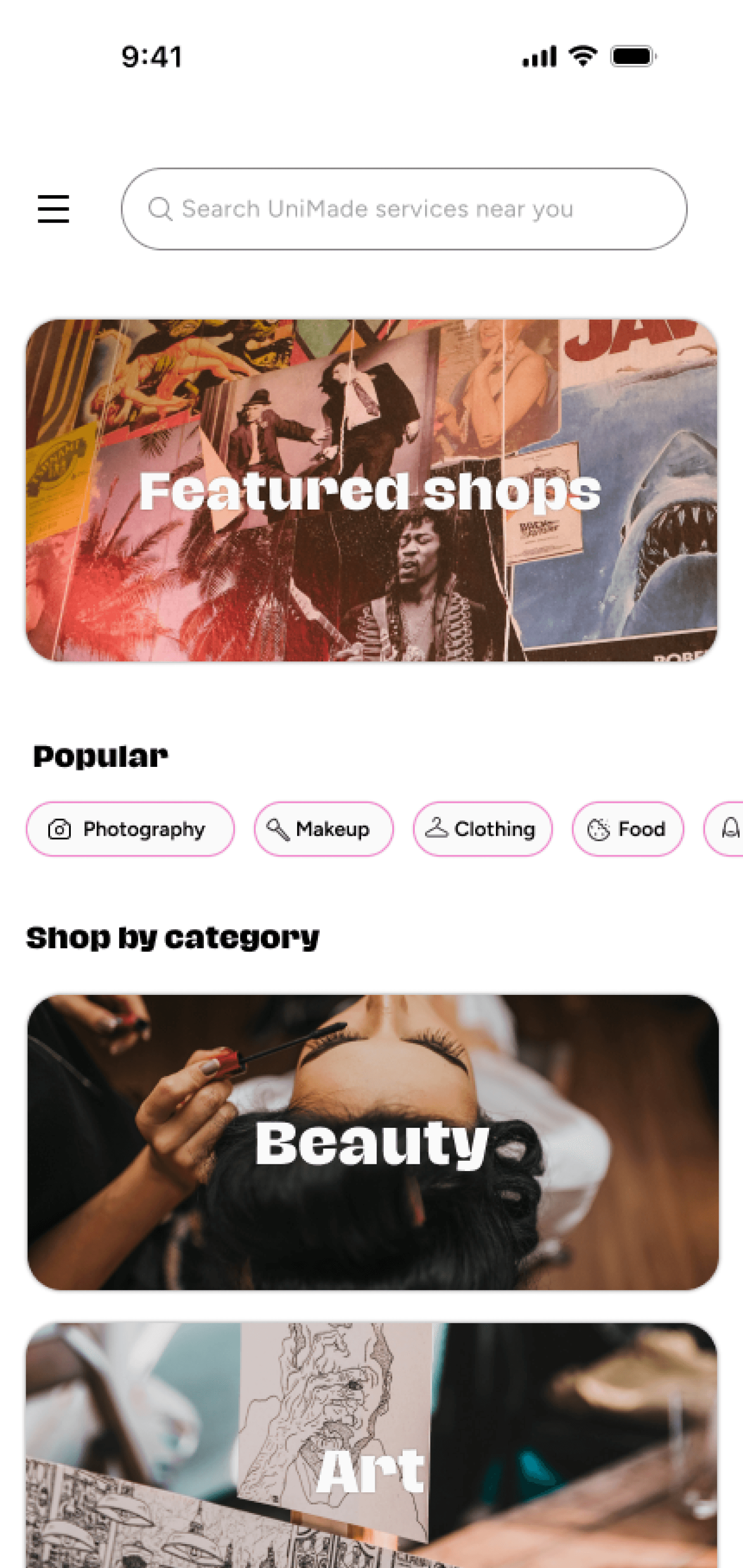
Create a centralized, student-only marketplace
Build trust through ratings and reviews
Enable in-app messaging
Provide secure and flexible payment options
Improve discoverability with filters + categories
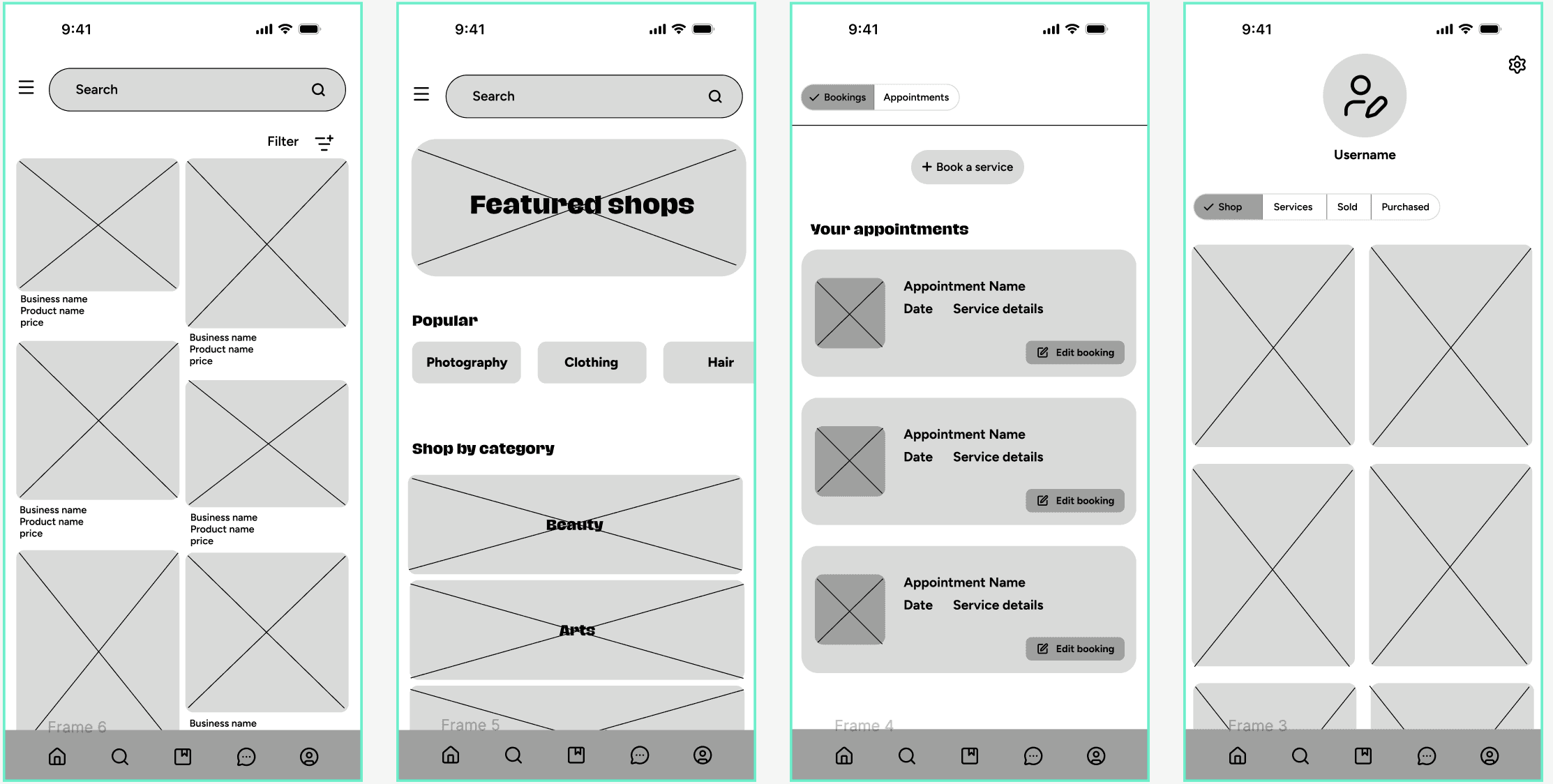
Design Approach
Hi-Fidelity Mockups
Hi-Fidelity Prototypes
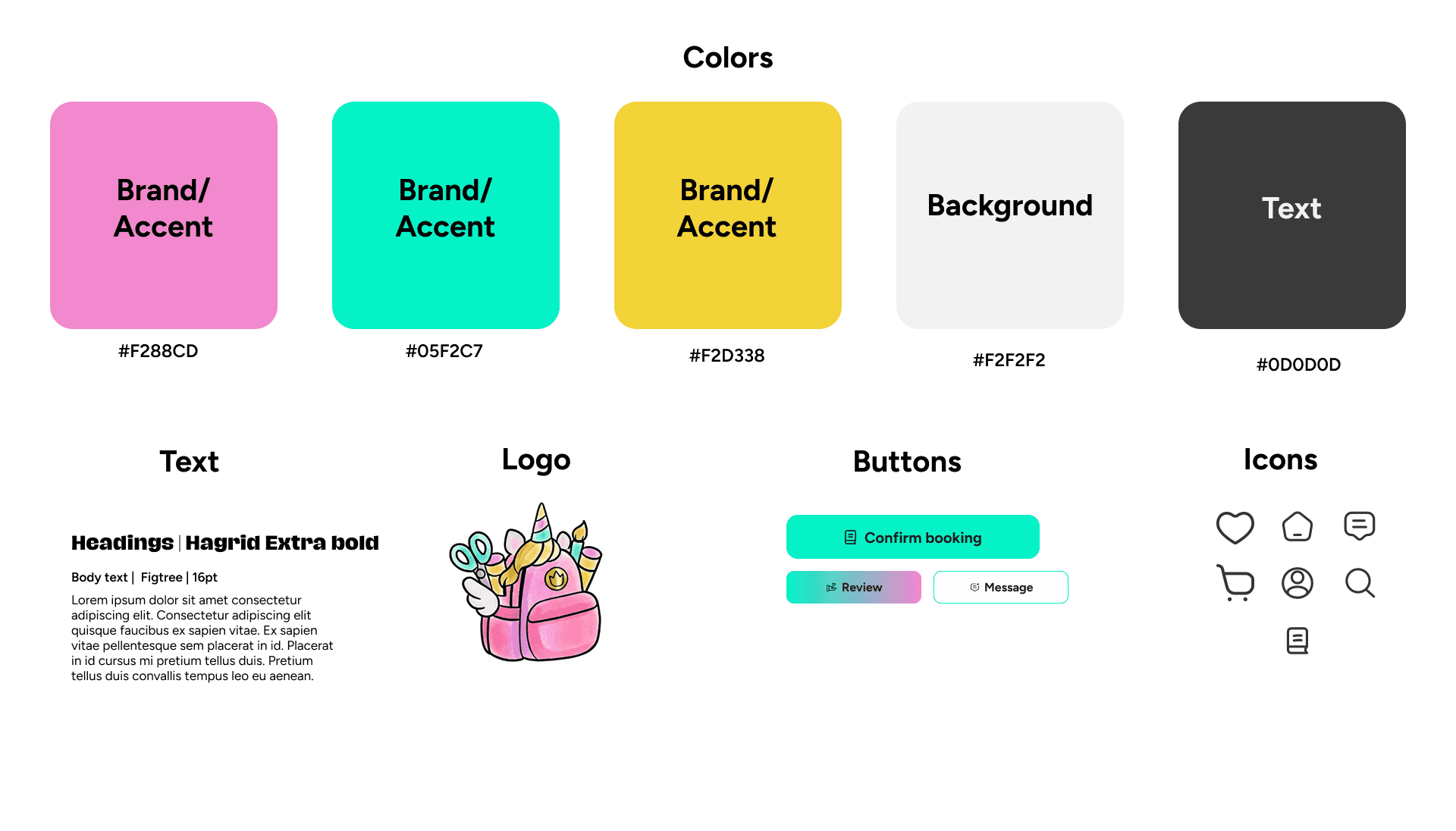
Color System
Typography
We aimed for a clean, minimal interface that prioritizes clarity and ease of use, while still feeling energetic and approachable for a student audience.
Branding
Used a minimal palette with three primary accent colors
Applied colors sparingly to highlight key actions (buttons, ratings, CTAs)
Ensures strong visual hierarchy and reduces cognitive overload
Why it works:
Bright, vibrant tones create an inviting and engaging experience while helping important elements stand out.
Clear distinction between headings, subheadings, and body text
Larger, bold headings to guide users through content, with a more decorative font.
Used simple, uncluttered text styles for main content to reduce cognitive load.
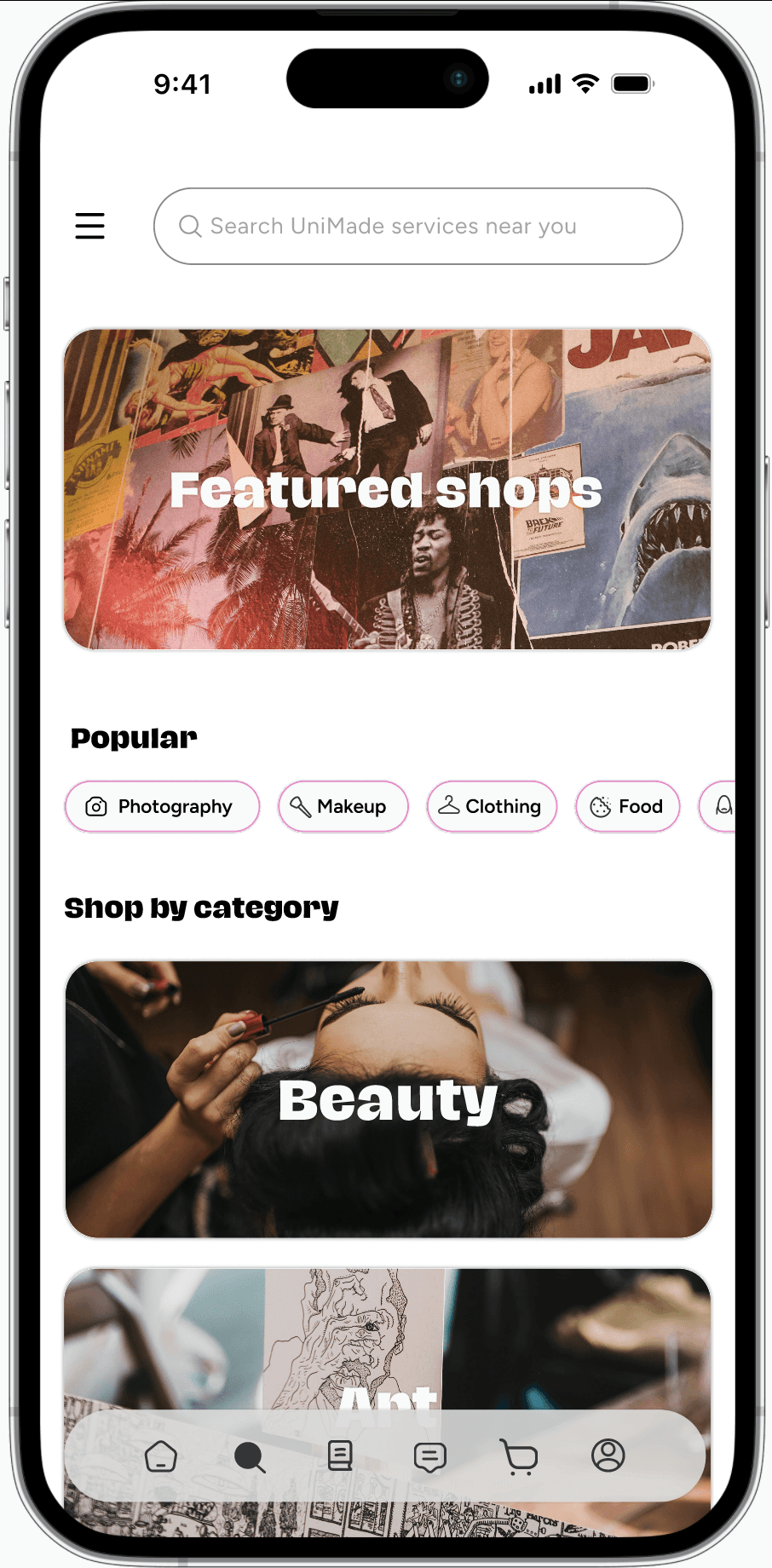
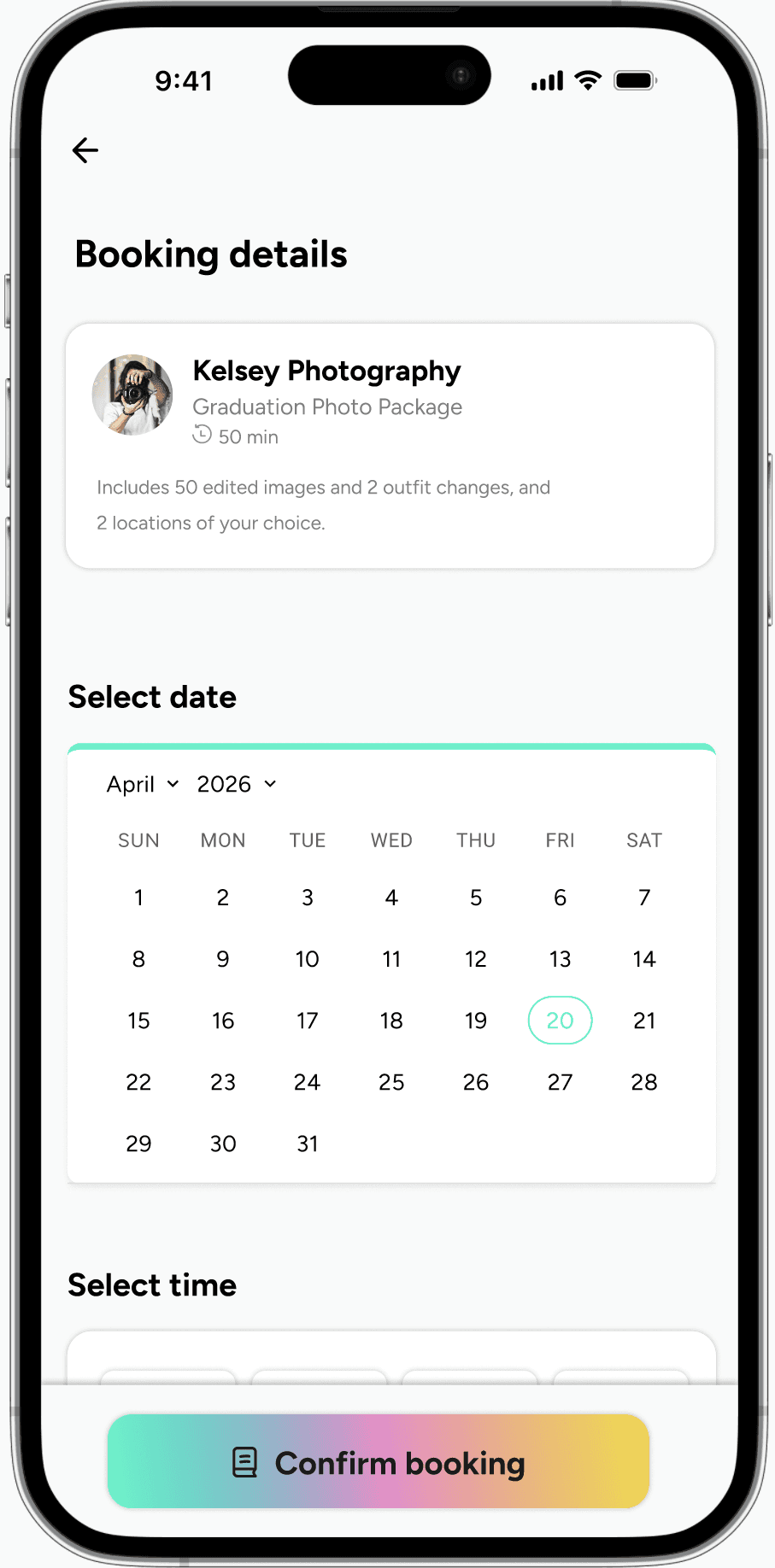
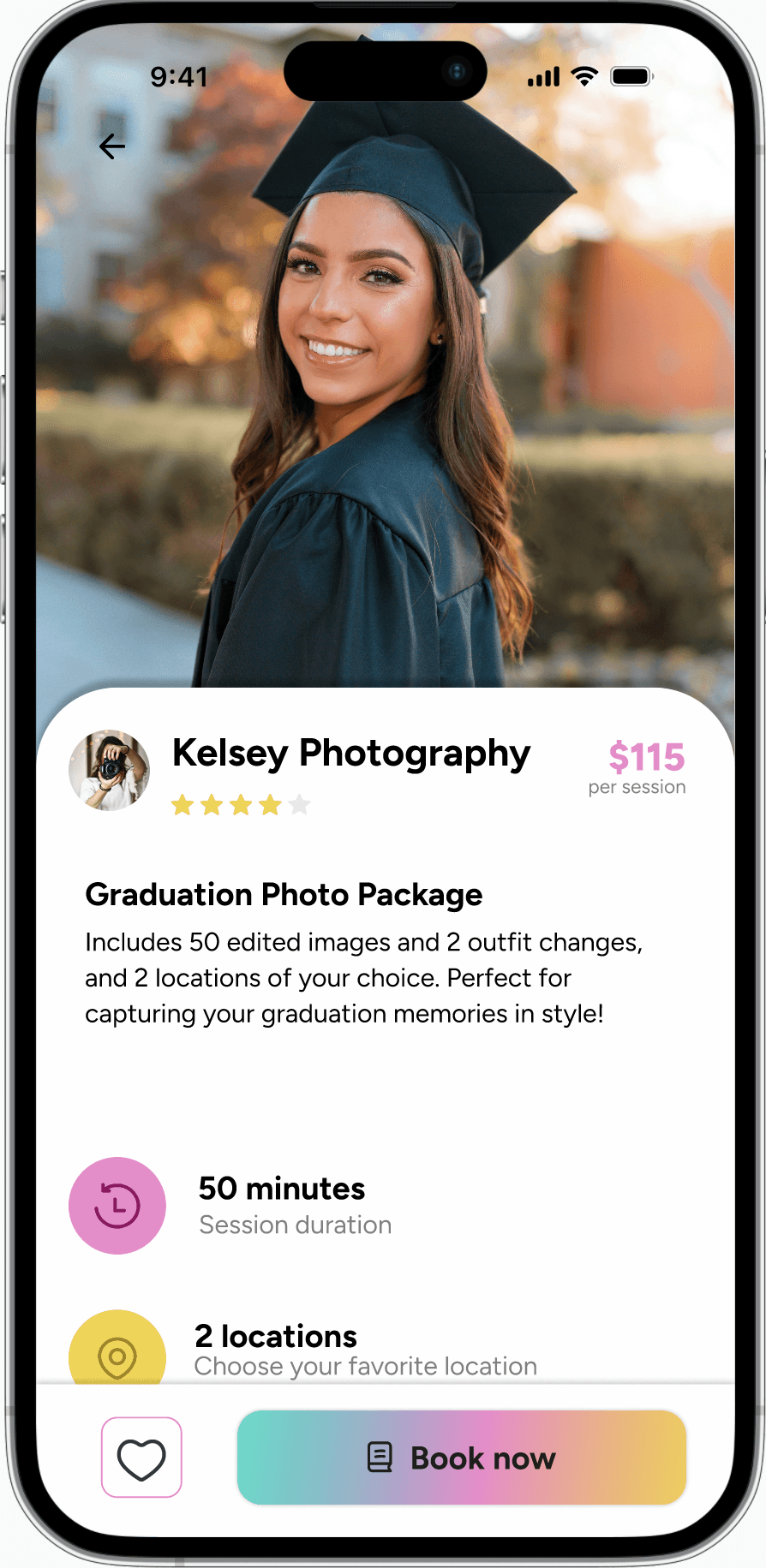
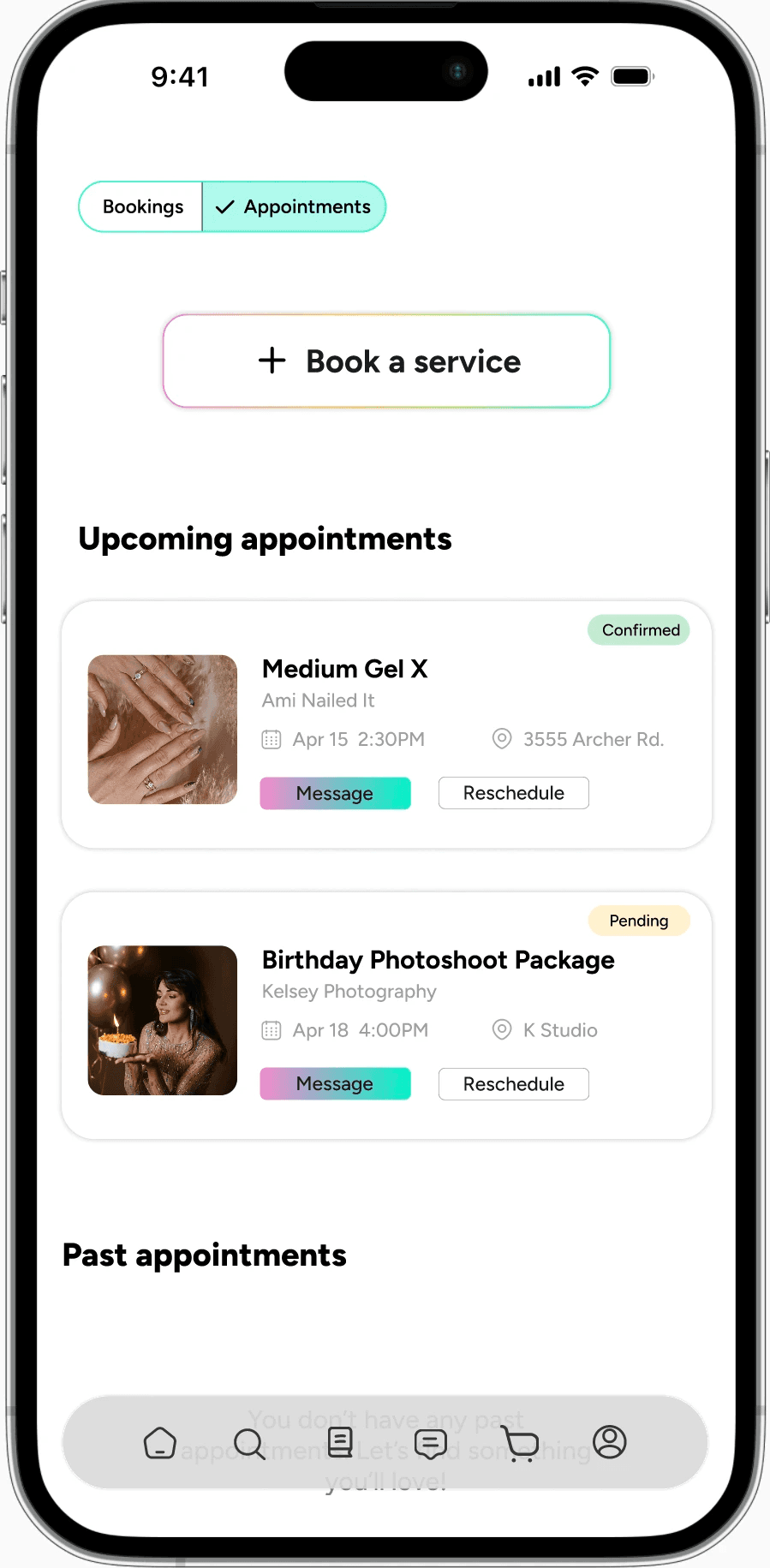
Onboarding: allows uder to sign up under school domain to connect with students at their school.
Social cues (CASA Principle)
Uses conversational, friendly language to make interactions feel personal.
Includes supportive messages during processes .
Makes the app feel like a companion, improving comfort and positive user experience.
Reciprocity is a CASA principle that focuses on giving users value in return for their actions or engagement within an app, guiding and supporting users towards buying or selling.
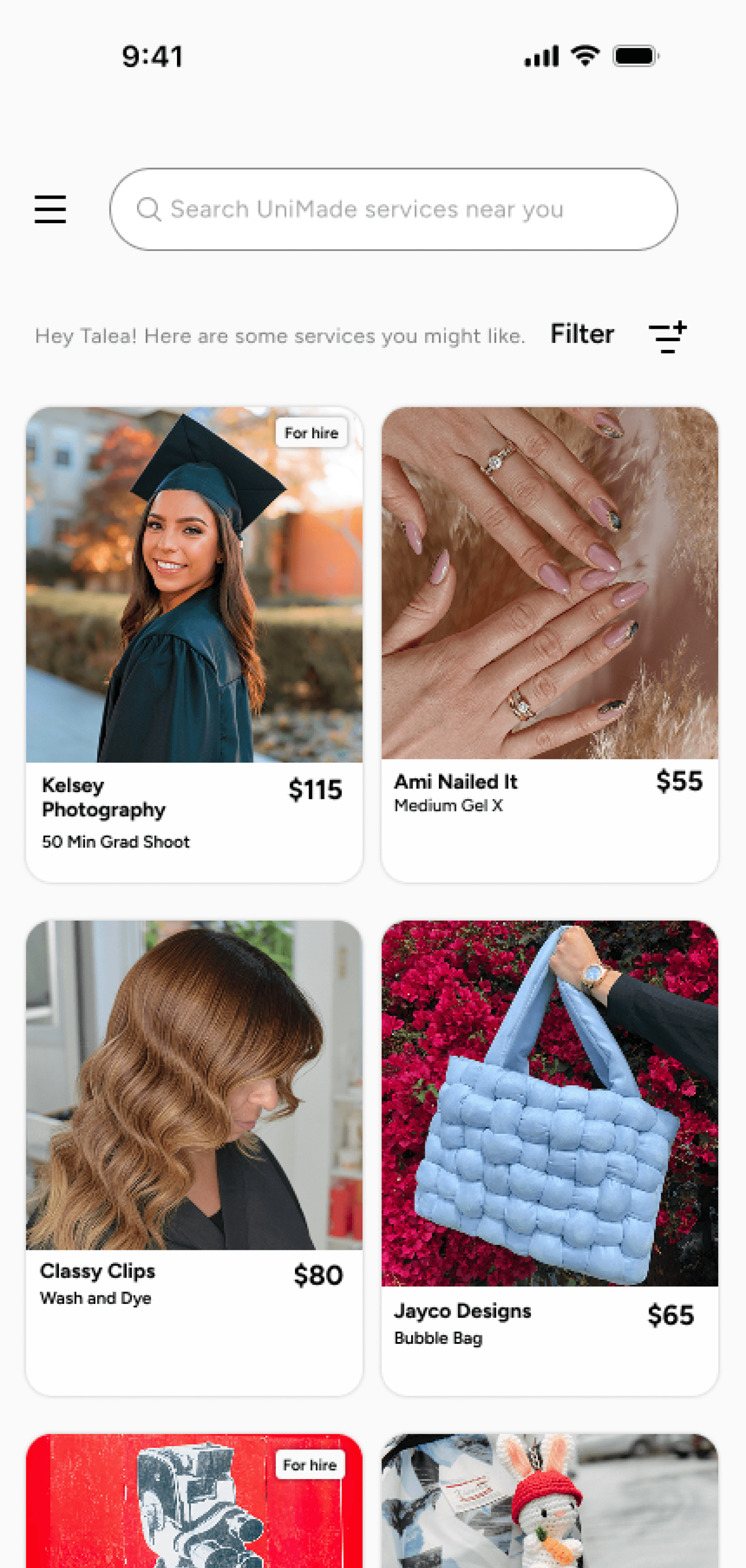
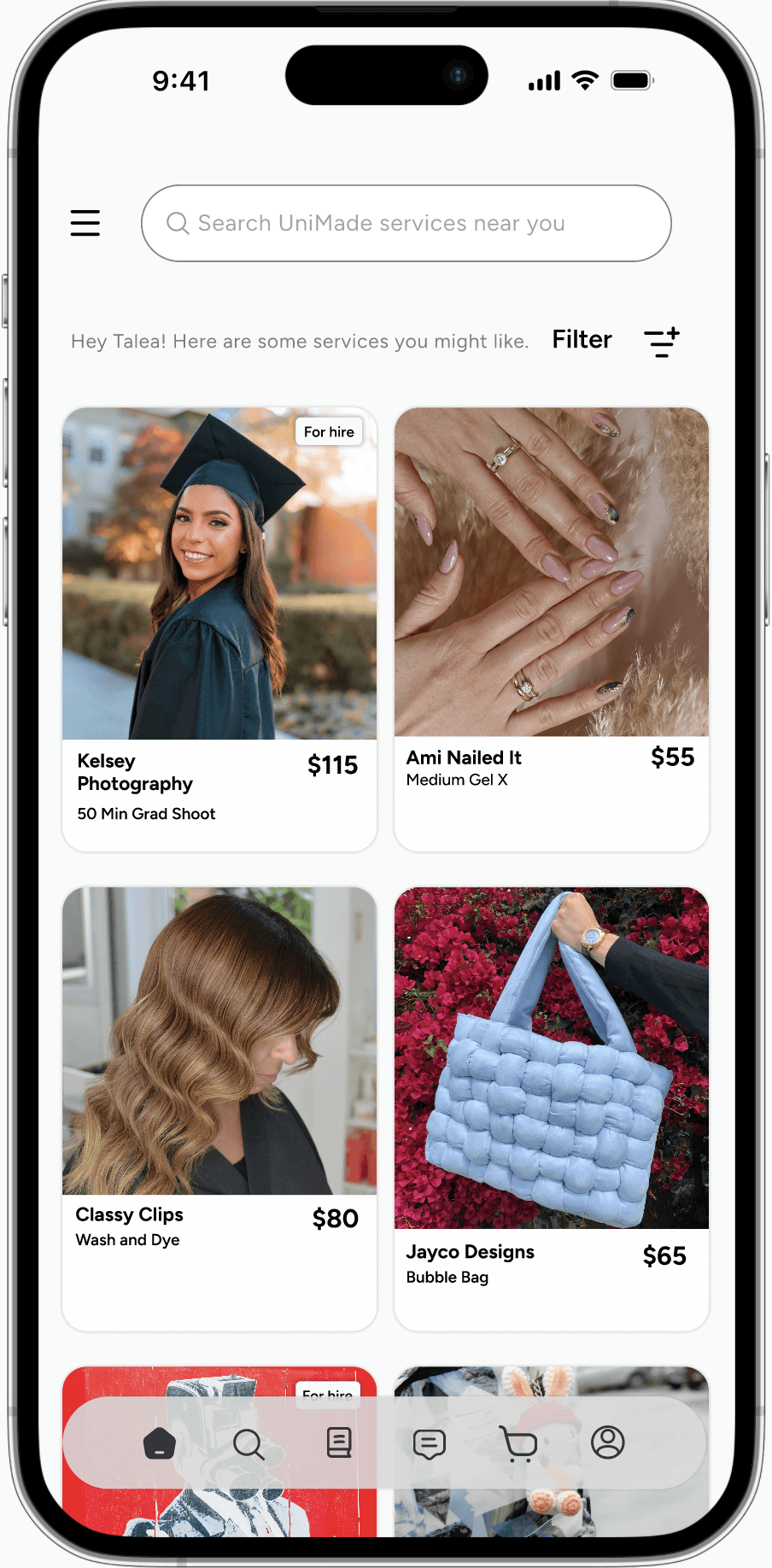
Home Page Experience
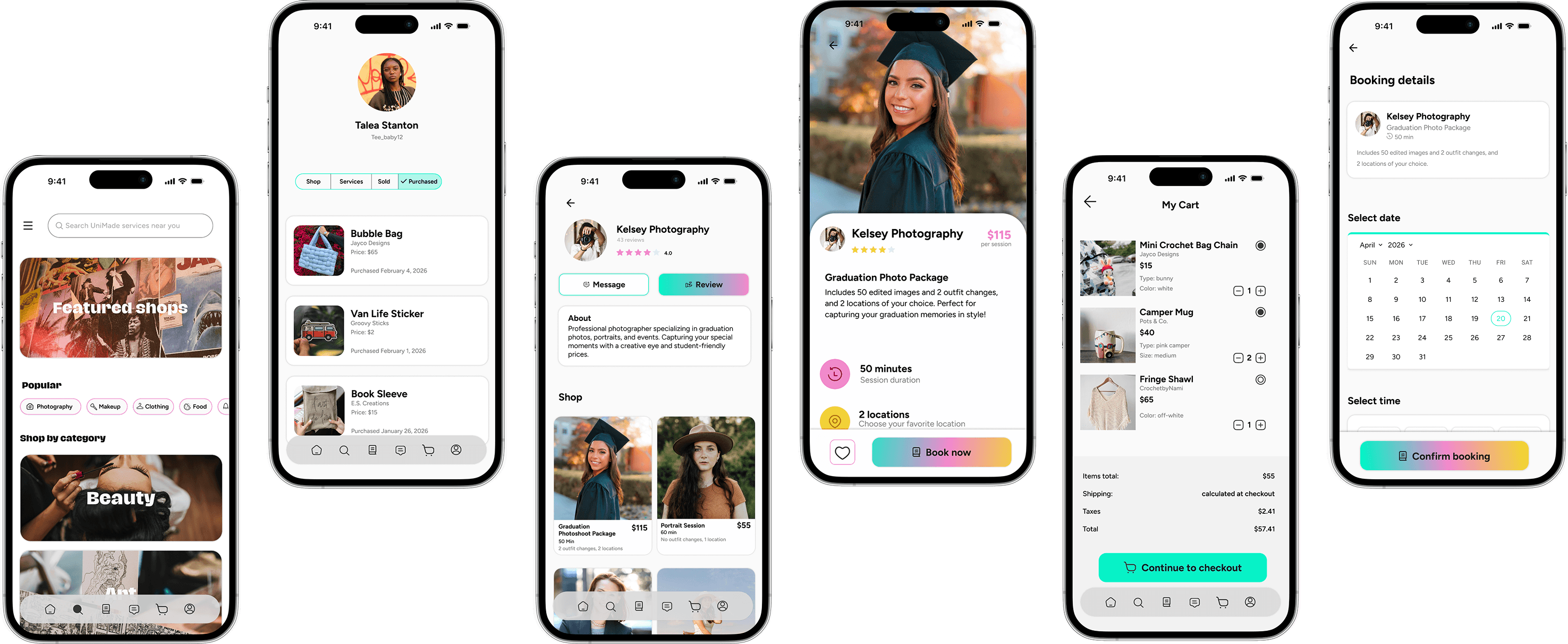
Users can easily select a product, book a service, or add an item to their cart directly from this page. At the top, a welcome message creates a friendly and inviting first impression.
Politeness CASA Principle:
The welcome message connects to the CASA (Computers Are Social Actors) principle, which suggests users respond positively when technology uses human-like social cues. A personalized greeting helps the app feel more engaging, approachable, and user-friendly.
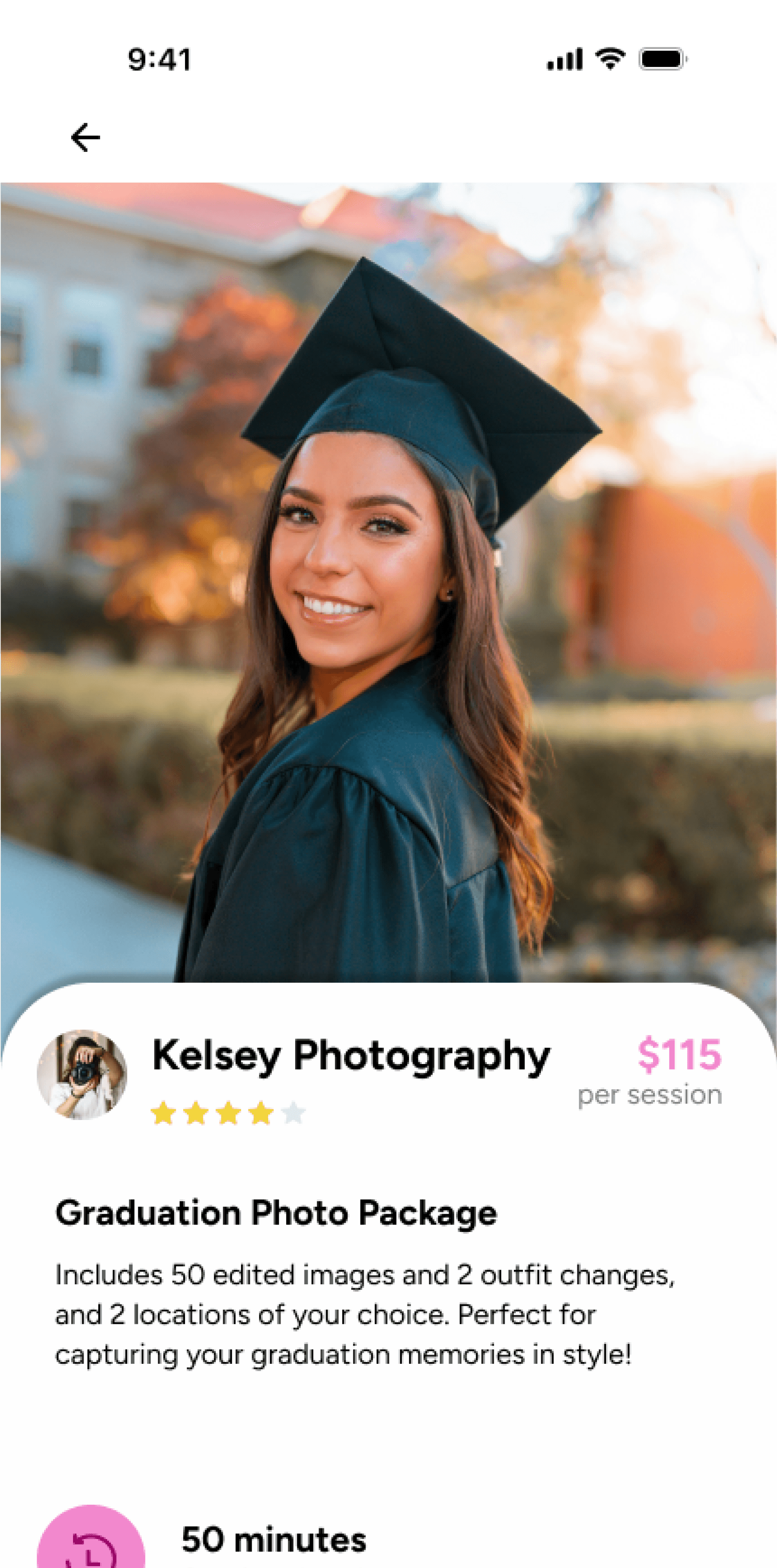
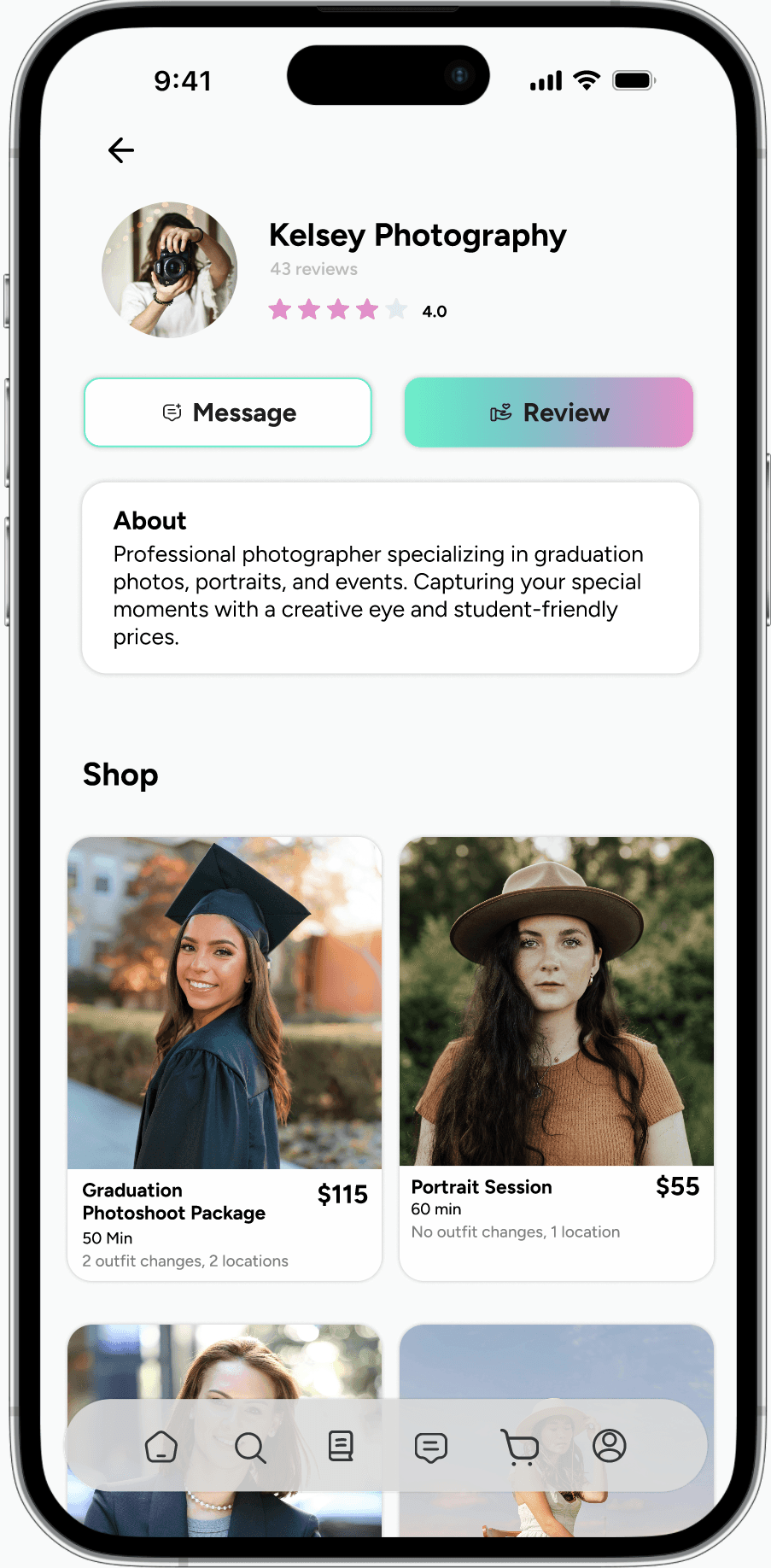
Navigating the Seller Profile Page
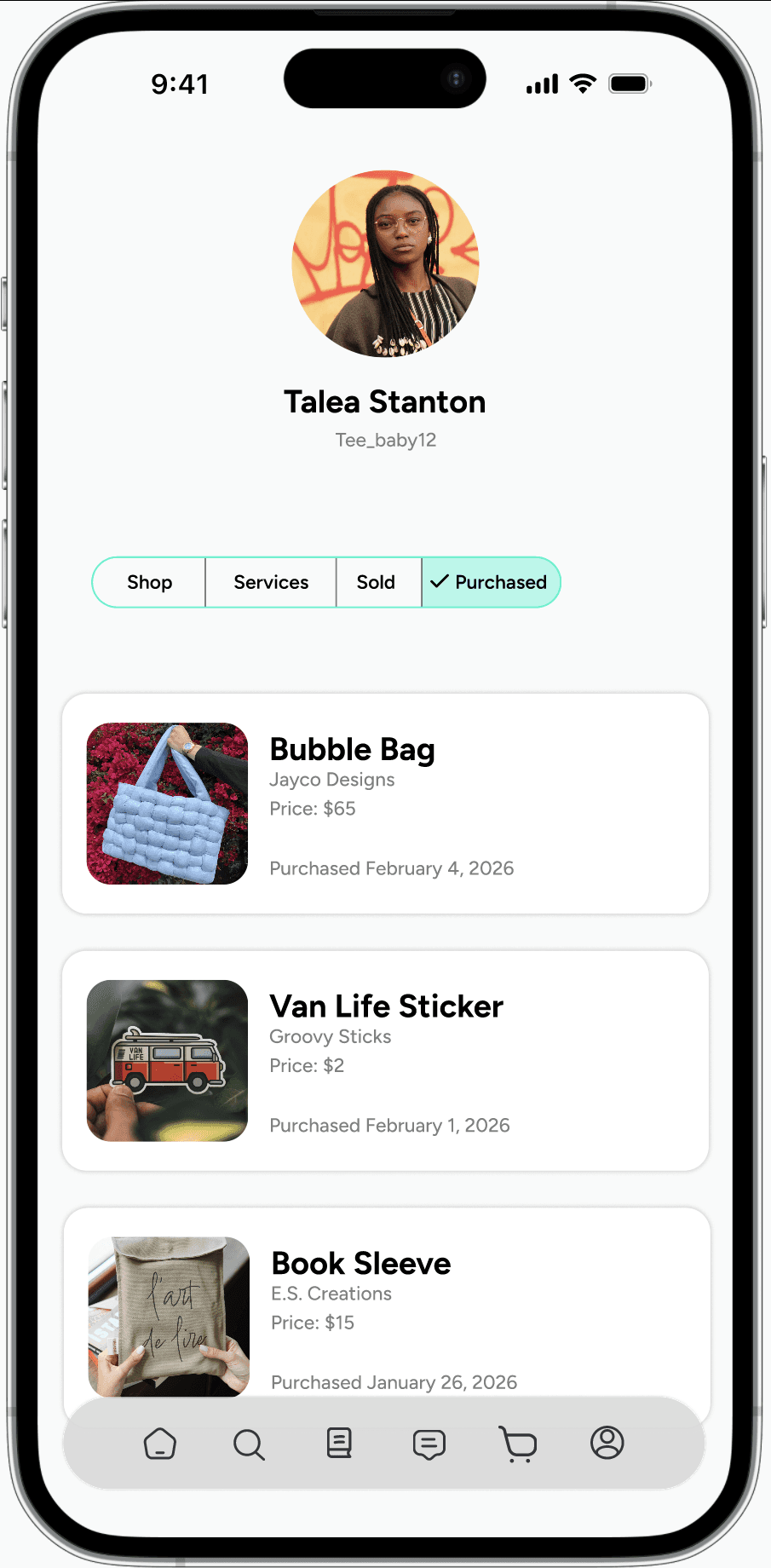
The tab feature allows users to easily navigate multiple sections within a single page
iOS Design Principles:
Subtle shadows are used on content boxes to separate them from the background, creating depth and improving visual hierarchy. This helps important information stand out while maintaining a clean, modern interface.
Unimade